Uninstalling and storing your Ukko Gen3 weather station
Temperatures below -15°C / 5°F can permanently damage your weather station. The following instructions will help keep your weather stations safe while not in use during the winter.
Overview of Steps
Remove all batteries and store in a warm, dry location
Disassemble and store sensor, gateway, solar panel in a dry location above -15°C / 5°F
In the ForeSite app, go to Station Management, select the station on the map, and tap Uninstall.
Disassembling the weather station
You will need:
Phillips #2 screwdriver
Slotted 5.5mm screwdriver
Adjustable wrench or 8mm nut driver
A container to store screws, nuts, washers, and u-bolts
A container to store batteries. Properly store all batteries per manufacturer’s instructions.
Sensor Unit
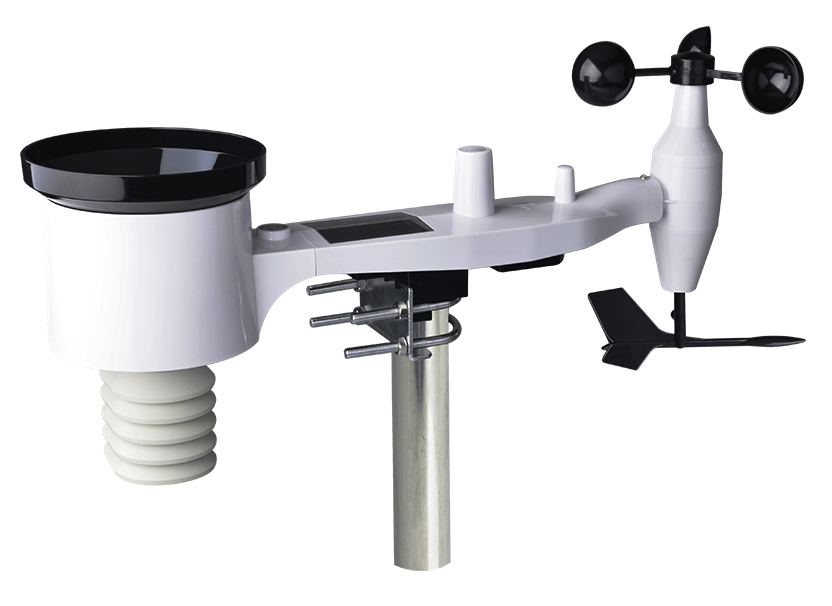
Remove the sensor unit from the mounting post by loosening the U-bolts and sliding the sensor off the post
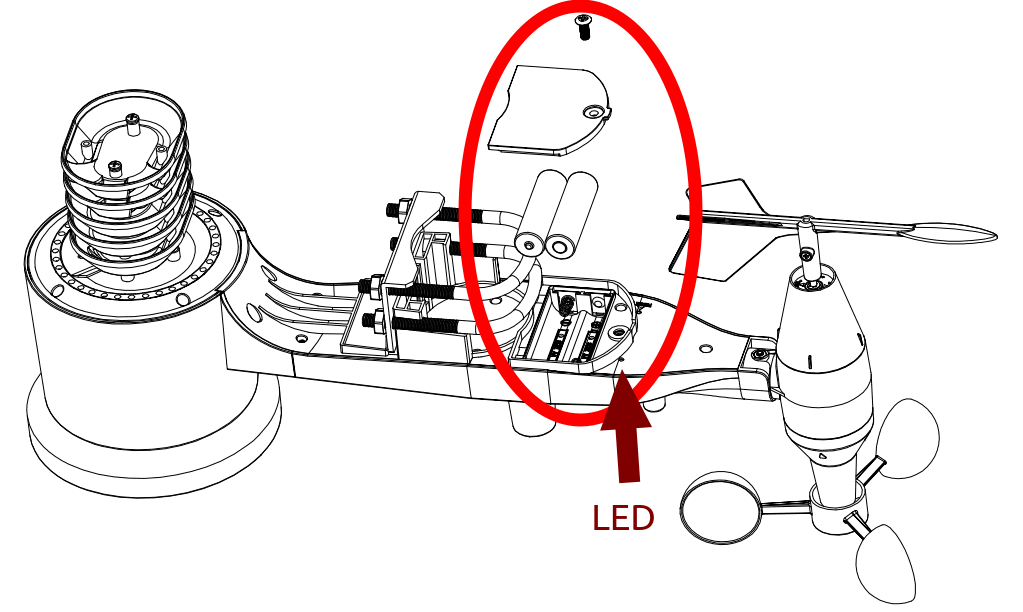
Important: remove the two AA batteries by unscrewing the sensor’s battery cover, removing the batteries, and reattaching the battery cover
Gateway & Solar Panel
Remove the gateway and solar panel from the post by loosening the hose clamp and sliding the assembly off.
Unscrew the male and female cable connection between the gateway and solar panel
(Optional) remove the gateway from the solar panel by unscrewing the two pan-head screws
Important: remove the pink gateway battery:
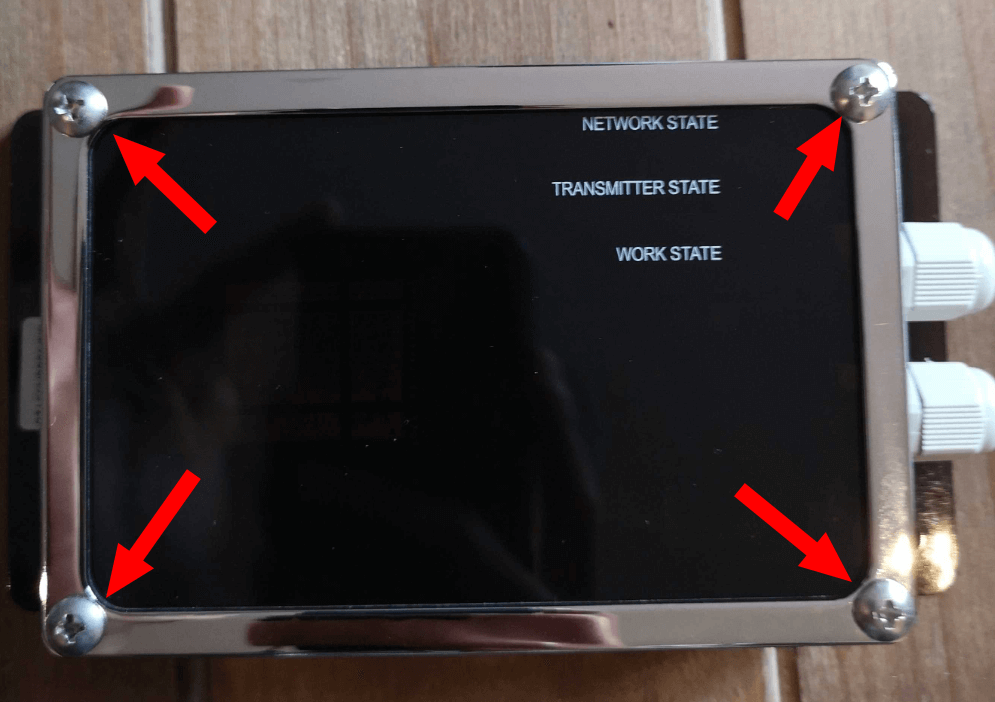
Unscrew the four pan-head screws and removing the gateway face cover
Remove the pink 18650 Li-ion battery from the gateway
Reattach the gateway cover with the four screws
Storing for the winter
Store batteries in a warm, dry container
Store sensor, gateway, and solar panel in a warm, dry location
Store all other hardware (arms, U-bolts, screws, nuts, etc) securely